
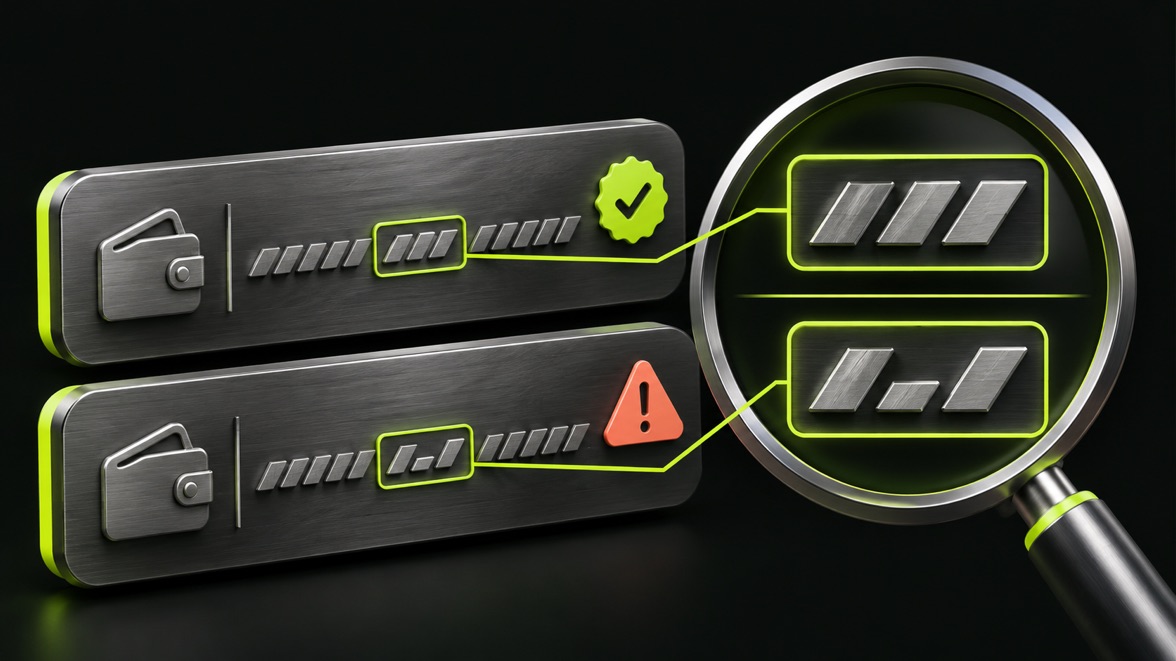
How a lookalike reaches transaction history
An attacker introduces a visually similar address into records near legitimate activity. A small transfer, a zero-value token event or an unrelated token contract can be involved; what appears depends on the contract and wallet interface.
The trap exploits abbreviated addresses. Two labels with matching edges can hide different middle characters. A familiar token name or icon is not sufficient either: inspect the actual contract when establishing what moved. Do not treat every history row as an instruction for your next payment.
| Observation | Response |
|---|---|
| Unknown tiny or zero-value entry | Do not reuse its payment details |
| Only the address edges match | Expand and verify the entire string |
| Pasted destination changes | Stop and check the device and source |
| Unrecognized actual outflow | Inspect its TXID, contract and authorizations |
Verify from the original instructions to the signing screen
For an exchange deposit, reopen the USDT deposit page and select TRON. For a person or business, confirm the details over an established channel. An unexpected message asking you to replace the destination deserves separate verification. A saved contact is useful only if it was checked before saving.
Copy from that source and compare the whole destination after pasting it into the wallet. Repeat the comparison at final confirmation. With a hardware signer, inspect its own display too; a correct address in the browser does not justify a different one on the device.
- Check chain, token, full destination and amount.
- Do not substitute the latest history row for verified instructions.
- Check the recipient’s minimum deposit for a new route.
- Stop if the signing screen and original instructions disagree.
Why a test transfer is not enough on its own
A test can check one particular route, but it cannot protect a later payment if its destination changes. Wait for the intended recipient to confirm the test, then verify the main transfer against the original instructions again.
For example, a test reaches verified address A, while a new lookalike B later appears in history. The successful test to A says nothing about B. Avoid copying the main destination from that new row. Make sure any test amount meets the receiving platform’s deposit requirements.
Handle suspicious tokens without granting access
Do not follow an unsolicited token’s link or connect a wallet to claim a promised reward. Viewing public records does not require your recovery phrase. Hiding a spam token changes the interface, not the blockchain.
Distinguish a displayed record from an action you signed. If funds actually moved, inspect the originating TXID, contract, amount and participants. If you approved an unknown spender or account-permission update, investigate that authorization separately: ignoring incoming spam does not revoke existing access.
If USDT already went to the wrong destination
Keep the TXID, chain, full destination, amount, time and original instructions. Check the actual transaction rather than only a withdrawal request status. Contact the sending platform’s official support and, if identifiable, the receiving service. Recovery depends on address control and recipient cooperation; it is not guaranteed.
Do not pay an additional unlock charge or give a recovery agent your seed. Renting Energy cannot cancel a confirmed transfer or replace its recipient. Disclosed keys or an unknown permission update require a separate access-compromise response.
Apply the same check when renting Energy
For an EZ Energy order, copy your own sending address from the selected wallet. Separately verify the destination for the USDT payment. A wrong resource-delivery address and a wrong token destination are different mistakes; neither should be taken from an arbitrary history entry.
Receiving delegated Energy does not require a USDT allowance or an account-permission change. Review the order address before paying and the token recipient before signing. AML screening may add risk context, but it does not prove a lookalike belongs to your intended counterparty.
FAQ
Does a zero-value record mean my seed was stolen?
Not by itself. Establish whether it is a public token event, a real outflow or an operation you signed.
Are matching first and last characters enough?
No. A lookalike can be designed with matching edges. Check the complete destination against trusted instructions.
Does a hardware wallet prevent every address mistake?
No. It adds an independent verification screen, but you can still approve the wrong destination.
Can Energy rental recover an incorrect payment?
No. It provides resources for future operations, not a reversal of confirmed transfers.
Sources
Technical facts are checked against official TRON documentation. Resource use can change with network and contract state.
Ledger: address poisoning ↗Trezor: address poisoning ↗Ledger: an incorrect transfer ↗TRC-20 contracts and events ↗TRON account permissions ↗