
Automatic TRON Energy
An operation package for a wallet that regularly sends USDT TRC-20.
Open Auto EnergyWho it is for
For frequent senders and payout teams who do not want to place a separate rental order for every transfer.
How to use it
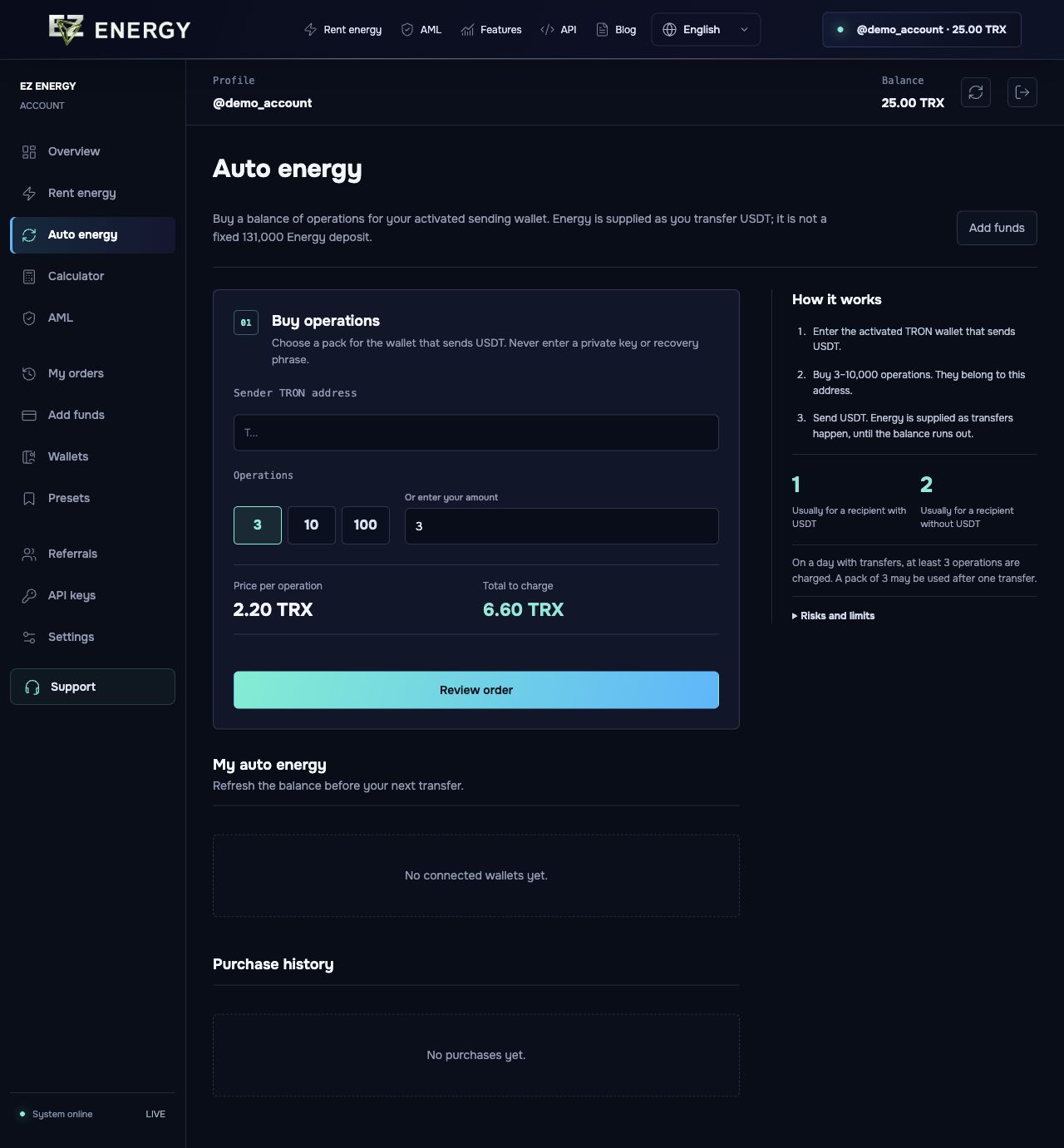
Enter the sender address, select an operation package and confirm the purchase. Track the remaining operations and wallet status in your account.
What to check
Check available resources before sending. Remaining operations do not guarantee uninterrupted delivery or zero fees.
Screens from the account
English demo. The prices and data shown are examples.
When is a package better than renting once?
If you regularly send USDT from the same address, a package avoids placing a new rental order each time. For occasional transfers or different sending wallets, start with a one-off rental.
Operations remain, but the wallet has no Energy
Confirm you are checking the exact address covered by the package. Check the Auto Energy status and available resources on TRON. If delivery is paused or Energy is still missing, contact support with the public address before buying another package.